Command Center
Everything you run, on one screen.
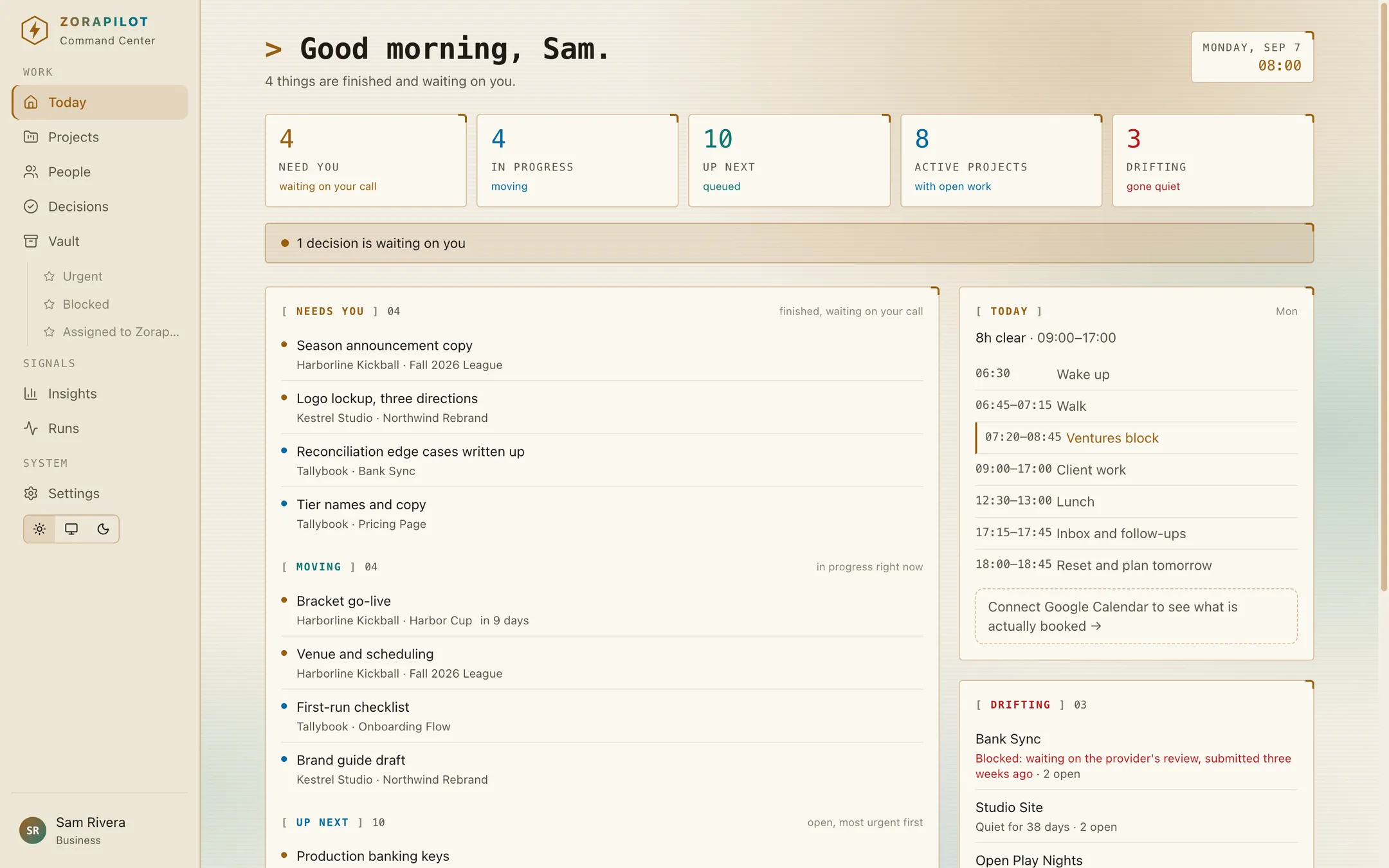
Running several things at once means the scarce resource is not time, it is knowing where everything stands. Zorapilot is one place that holds your ventures, your projects and your tasks, and opens on the four things you need before the day starts.
$19/month, bring your own key. Free during early access.

The read
One screen, four questions.
A dashboard that shows everything shows nothing. This one is built around the four questions you actually open a task manager to answer, and it answers them before you ask.
What needs me
Work that is finished and waiting on a call only you can make, across every venture at once.
What is moving
Everything in progress right now, so the day starts on execution instead of on triage.
What is drifting
Projects with open work and no movement in fourteen days. A person cannot watch a dozen things for silence.
What is my day
Your schedule with the free blocks measured from right now, so the plan fits the time that is actually left.
The work
It does not just read your task manager. It is one.
Ventures, project groups, projects and tasks three levels deep, with saved views that can belong to one project or span everything you run. Because the read and the backlog are the same data, the morning view can never go stale against the work.
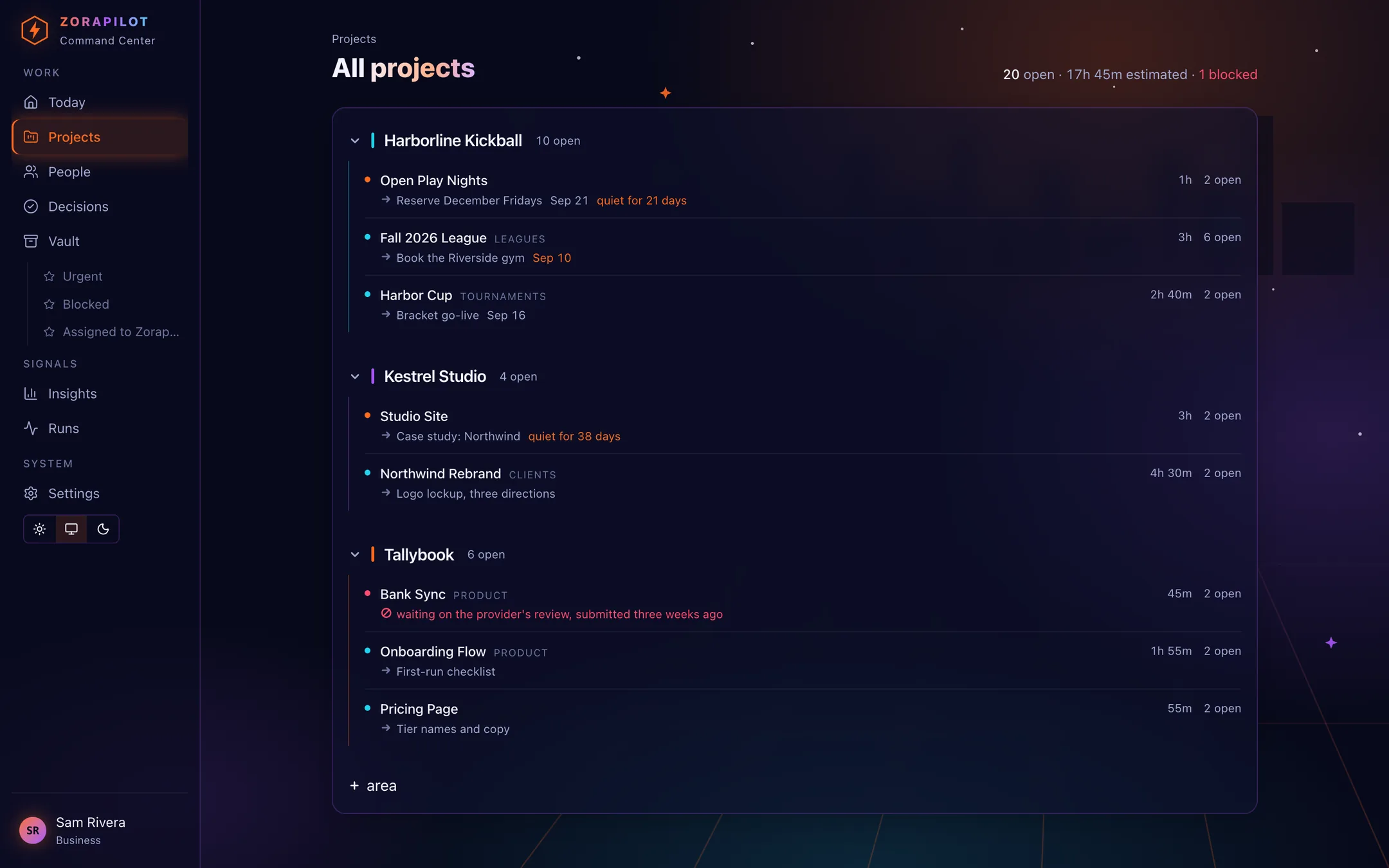
Project as a first-class row
A project is a thing with a state, a next action and an owner, which is what makes the portfolio question answerable at all.
Views, not filters you retype
List, board and table over the same query. Save what you are looking at and it lands in the sidebar.
People, crews and the agent
One picker for all three. A crew job stays one assignment rather than four.
The dress
Two moods, one product.
Neon for working at night and Paper for working in daylight. The whole interface is expressed as tokens, so this is a switch rather than a second app with second bugs.
What it will do next
An agent that reads everything before you wake up, under governance you set.
This is the half that is running for its first operator and rolling out to new accounts. Every morning it reads the work, the repos and the calendar, writes one brief, and flags what has gone quiet. Every tool call it makes is checked against a scope you set, capped on spend, and written to an append-only log.
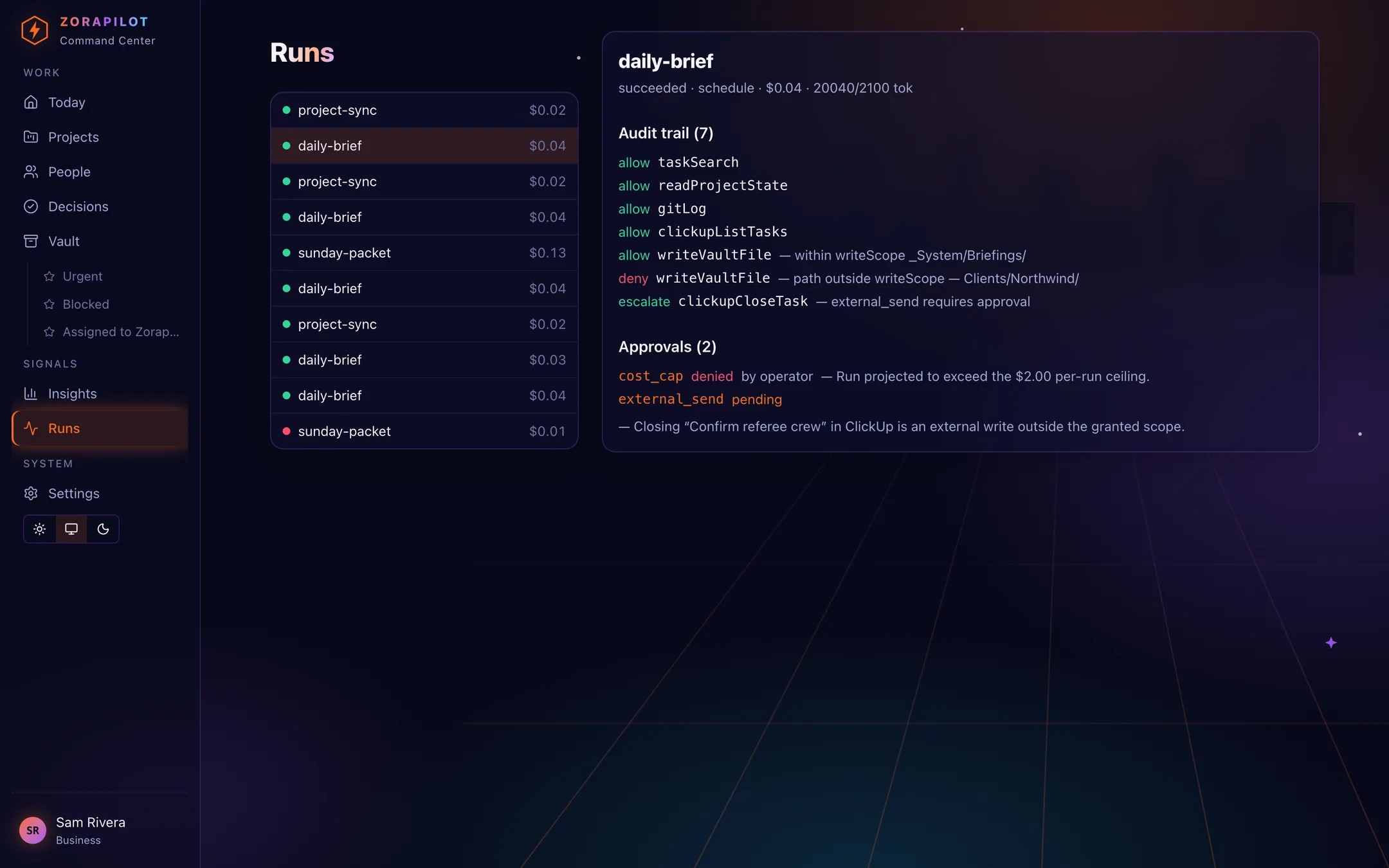
Scoped writes
An agent can only write where you allow it. A write outside its scope is denied and logged rather than attempted.
Hard cost caps
A per-run ceiling stops a runaway before it spends money. Cost shows on every run.
Approval pauses
Anything sensitive stops and waits for you. No answer defaults to blocked, never to went-ahead.
Bring your own key
Inference runs on your own API key, so the bill is yours and the ceiling is yours.
Where this actually isThe Command Center, the work store and the views above are live for every account today. Scheduled runs, connected calendars and connected ClickUp and GitHub are running for the first operator and are being rolled out. Create an account and you will get the work store now and the automation as it lands.
Pricing
One plan. Nineteen dollars a month.
Every feature, as many ventures and workspaces as you run. Inference runs on your own API key, so the model bill is yours and stays under your ceiling rather than being marked up inside a plan.
Everything, one plan
No seat count, no feature tiers, no upgrade prompt in the middle of your morning.
Every venture you run
Areas, projects and tasks across as many workspaces as you keep. The portfolio view is the product.
Your key, your ceiling
Inference is billed by your provider at cost. Set a per-run cap and the agent stops at it.
Cancel whenever
Your work is markdown and rows, and it exports. Leaving is not a negotiation.
Early access is free and uncapped while the automation rolls out. Billing starts when it does, and you will be told before it is switched on.
Straight talk
Two things worth saying out loud.
It only pays if you read it.
A brief nobody opens is a diary that writes itself. The leverage starts the morning you actually look.
It reduces overhead. It does not make money.
This buys back the first hour of the day and stops projects dying quietly. Neither of those shows up as revenue on its own.
Open one screen instead of five.
Set up your ventures, move your work in, and see the whole thing in one place tomorrow morning.
$19/month, bring your own key. Free during early access.